
An MCP Server for TelemetryDeck
TelemetryDeck now supports MCP, the Model Context Protocol. This makes easy to bring your analytics into AI tools like Claude, Mistral or ChatGPT.


Point your AI to https://mcp.telemetrydeckapi.com/ and follow the login instructions.
Model Context Protocol (MCP) is an open standard that your AI can use to talk to services like TelemetryDeck on your behalf.
TelemetryDeck MCP is in Open Beta and will improve over time. Expect a few rough edges, but lots of usefulness.
Everyone with a TelemetryDeck account can use the MCP. Usage limits may apply for free accounts.
Today we’re shipping something pretty cool: TelemetryDeck now includes an MCP server. You can use it to connect your own AI agent to your analytics data so that it can work as your personal analyst.
You can ask things like “What caused the usage spike last week?” or “Are people updating to the newest version of my app?” or “What paths are people on when they hit the paywall?” and your AI will be able to query your TelemetryDeck data at will, searching for an answer.
The TelemetryDeck MCP server is in beta, meaning that we think it is already working, helpful, and valuable, but there will be lots of active development and some rough edges.
To get started, add a Connector (some tools call it an MCP Server) to your AI pointing at https://mcp.telemetrydeckapi.com/ and follow the login instructions.
What does it do?
Because MCP is just a pipe between your AI and your data, the capabilities of the system depend a lot on what model you plug into it. You can use TelemetryDeck MCP with Claude, ChatGPT, Mistral, and, of course, self-hosted local models and other providers.
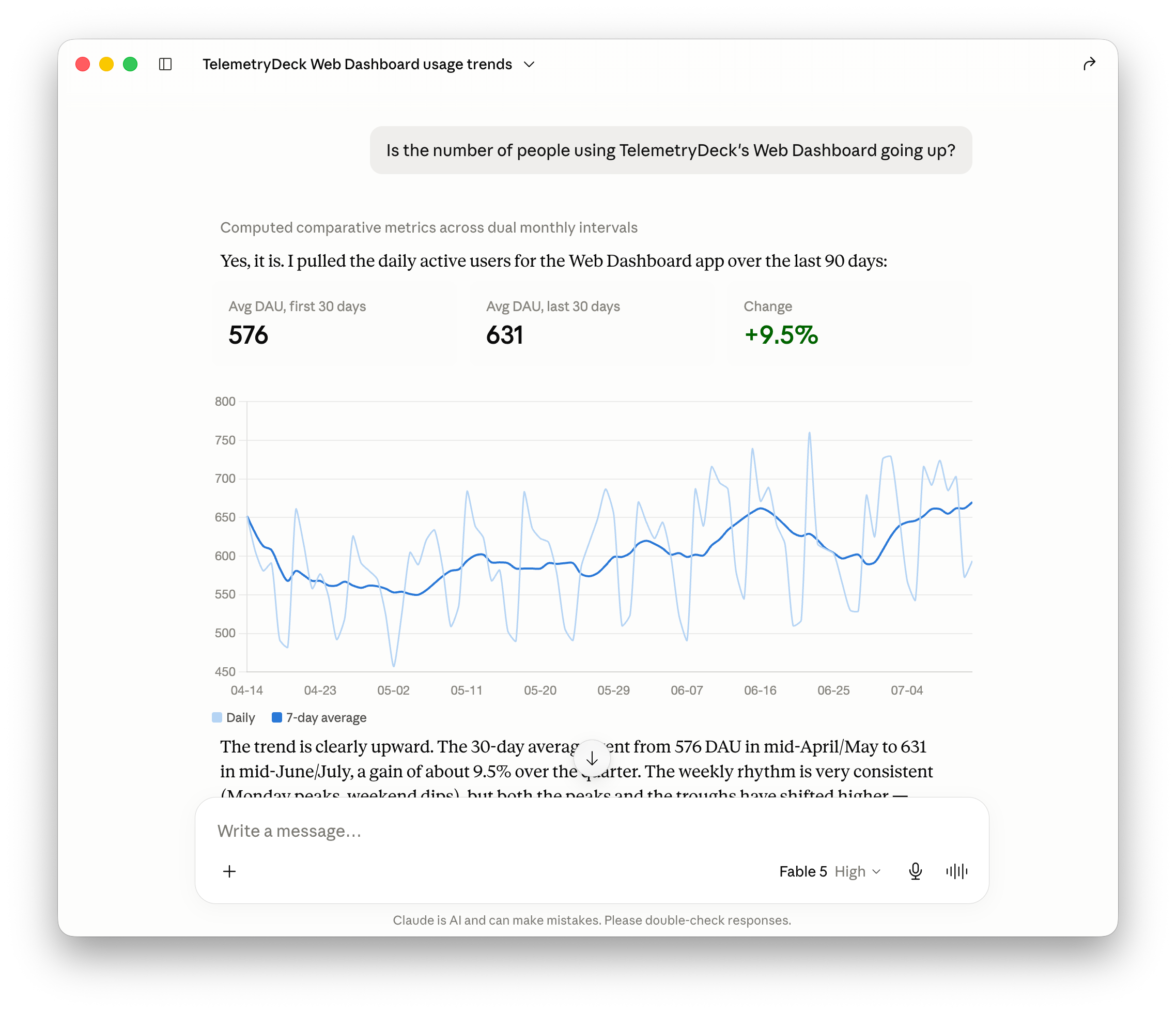
We’ve successfully used the connection to ask for a quick list of Key Performance Indicators with trends. We’ve asked it to find root causes like, “What caused the traffic spike last week?” (it was WWDC). Many of the models we tested chained multiple queries together into longer investigations, which was really promising.
You can also use TelemetryDeck MCP with your coding agent. This way it can produce analytics code and view its output in a tight feedback loop.
Another thing that we’ve found helpful is combining multiple MCPs. You could, for example, have a morning briefing task that will pull data from TelemetryDeck, App Store Connect, and your favorite news sites and email you a quick summary about it.
What tools are available?
Since we’re still in beta, the MCP server currently only includes the most important tools, namely those about querying your data. In the future, we’ll also want additional tools that can create Dashboards and Notebooks for you, but right now the MCP is all about getting data out.
To that end, we’ve created various endpoints that give your AI metadata about what data it can query and also endpoints and tools to actually query the data.
Additionally, and this is one of the coolest behind-the-scenes features I’ve seen this year, we’ve exposed tools that teach your agent how to write queries in the TelemetryDeck Query Language (TQL). We’re exposing lots and lots of example queries, structured searchable documentation using RAG, and schemas to make sure that your AI has the best chance of constructing the correct query for your intent.
Your data, your choice
All of these interactions happen on your side. TelemetryDeck does not receive the questions that you ask your AI agent, and we won’t know the answers that it synthesizes. You control your own AI, and you decide whether to give it access to the data you store in TelemetryDeck.
This is a deliberate privacy choice on our end, and it also allows you to make good decisions about which model to use.
What is MCP?
MCP, or Model Context Protocol, is an open standard for how AI agents can talk to third-party services. With it, your own AI can talk to and explore TelemetryDeck data for you as if it were using a browser to click through your account. To get started, point your AI of choice to https://mcp.telemetrydeckapi.com/.