
Everything is namespaced now
Here’s a bit of fun information about how TelemetryDeck works under the hood.


I deleted around ten thousand lines of code the other day, and I feel fantastic about that. This was code that I wrote all the way back in 2020 or 2021, and while it has served its purpose well, it was time to go. It didn’t spark joy any more.
How queries worked before
When we started offering TelemetryDeck, all analytics data lived in one big data source, named telemetry-signals . Every single TelemetryDeck event would go into that data source, from the tiniest indie app to the biggest corporate customer. This had a number of historical reasons:
- At the very beginning, Druid wasn’t able to create columns on the fly, so all the payload was a big JSON bundle at the end of each event anyway
- We weren’t really able to create new data sources on the fly, and doing so would have taken a long time
- Having every customer in their own data source would have taken up a large chunk of duplicated space, and a huge number of ingestion tasks
- Even if we could have worked with thousands of indexing tasks, we only had one message queue with all the analytics events, so our servers would have had to parse that same data thousands of times, and at 5-10 MB per second for just one stream, that’s a pretty serious undertaking.
So that’s how things worked for a long time. One Very Big Data Stream with all the data, and one Very Big Data Source that can be queried.
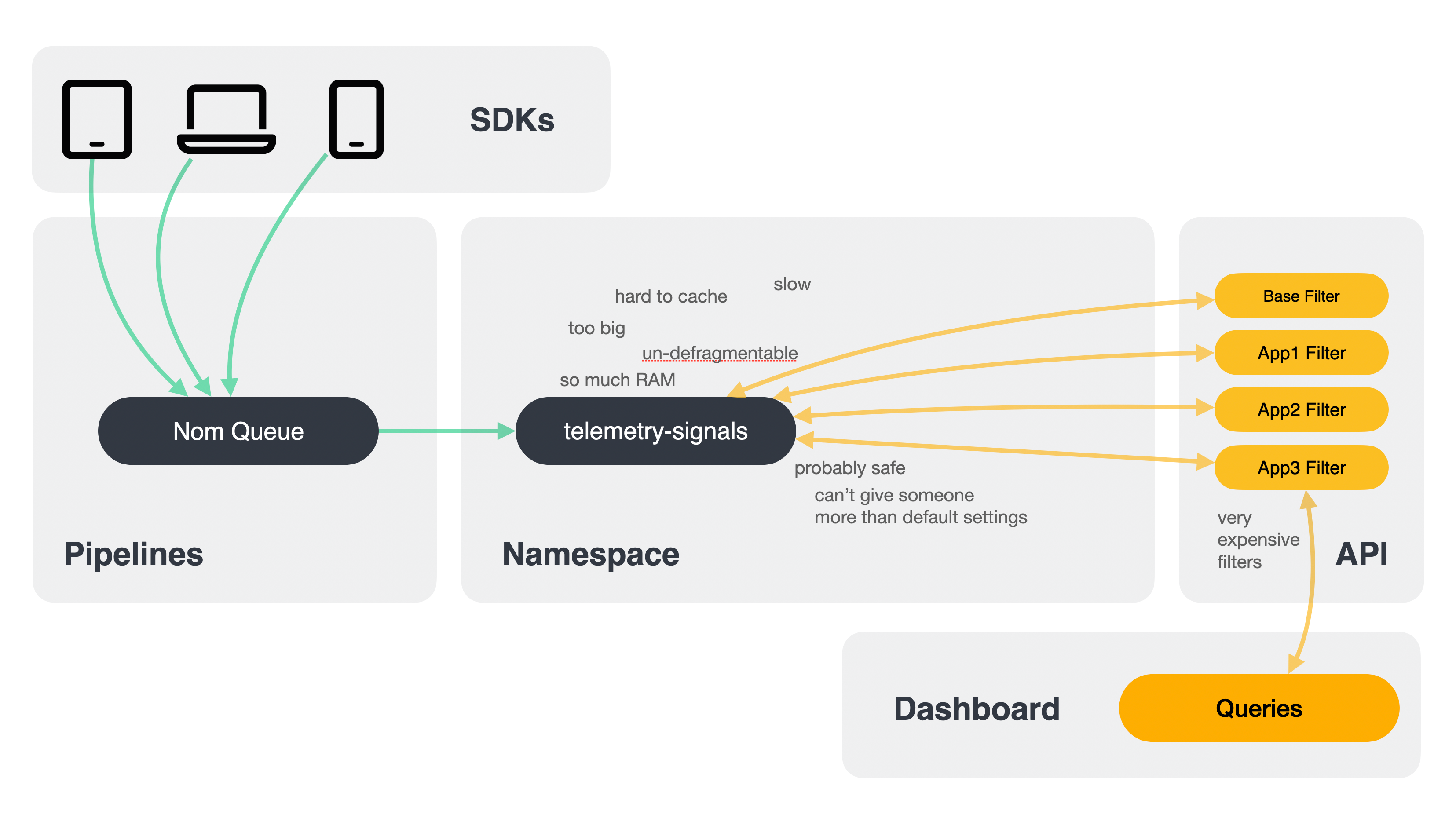
So how did we make sure that customers only see their own data? Filters. Every time you sent a query to TelemetryDeck, we determined your organization, the apps that belong to your organization, and enclosed any filters you already had in your query with a large “AND” filter that included all your organization’s app IDs.
This works, but it adds lots of code overhead, and it also costs a lot of performance for the additional filtering. We built a whole queueing system with asynchronous tasks and multiple HTTP requests just so the Dashboard UI could properly run these long-running queries.
On top of that, our Very Big Data Source was growing ever larger, with hundreds of thousands of segments (data files) and almost 30 thousand columns, both of which became a problem for queries and general housekeeping and cleanup.
Last year, after a long period of experimentation, we introduced namespaces, a refactor of how we ingest, store, and query data to fix all these things.
How queries work now
Let’s start at the beginning: incoming data still hits our ingest servers at nom.telemetrydeck.com, and from there it gets thrown into the Very Big Data Stream in our message queue.
But now, we have a gaggle of Stream Processing servers which pick up the events from the Very Big Data Stream, do some processing, and then route events to a separate stream named after the organization’s namespace.
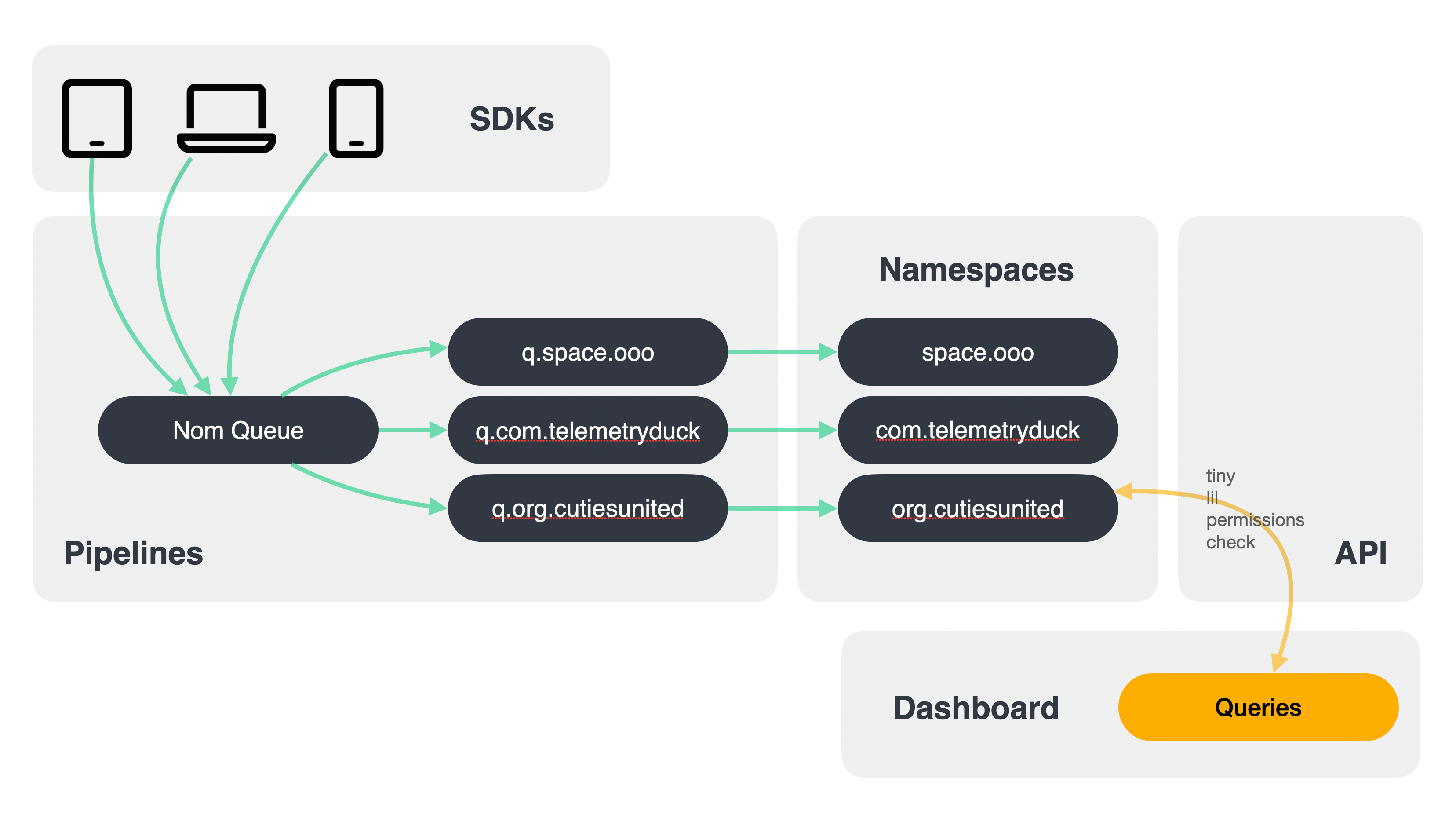
And with one stream per namespace, we can also have one task per namespace that runs periodically to pick up events from the message queue and process them into the namespace to be available for querying.
How do we handle the huge number of indexing tasks this takes? On the one hand, we’re just bigger now: we distribute these tasks among our 10 worker servers, which can run around 600 indexing tasks at the same time.
On the other hand, we prioritize. Some of these worker servers are only available to paying customers, meaning that organizations on the free plan need to wait until a slot on one of the free tier servers is available to index the newest events. In other words, free customers need to wait until a slot opens, paid customers get realtime data.
Additionally, we have some idle detection. If an organization’s namespace doesn’t receive any data for a while, its indexing task will give up its slot and mark itself as idle until data arrives again.
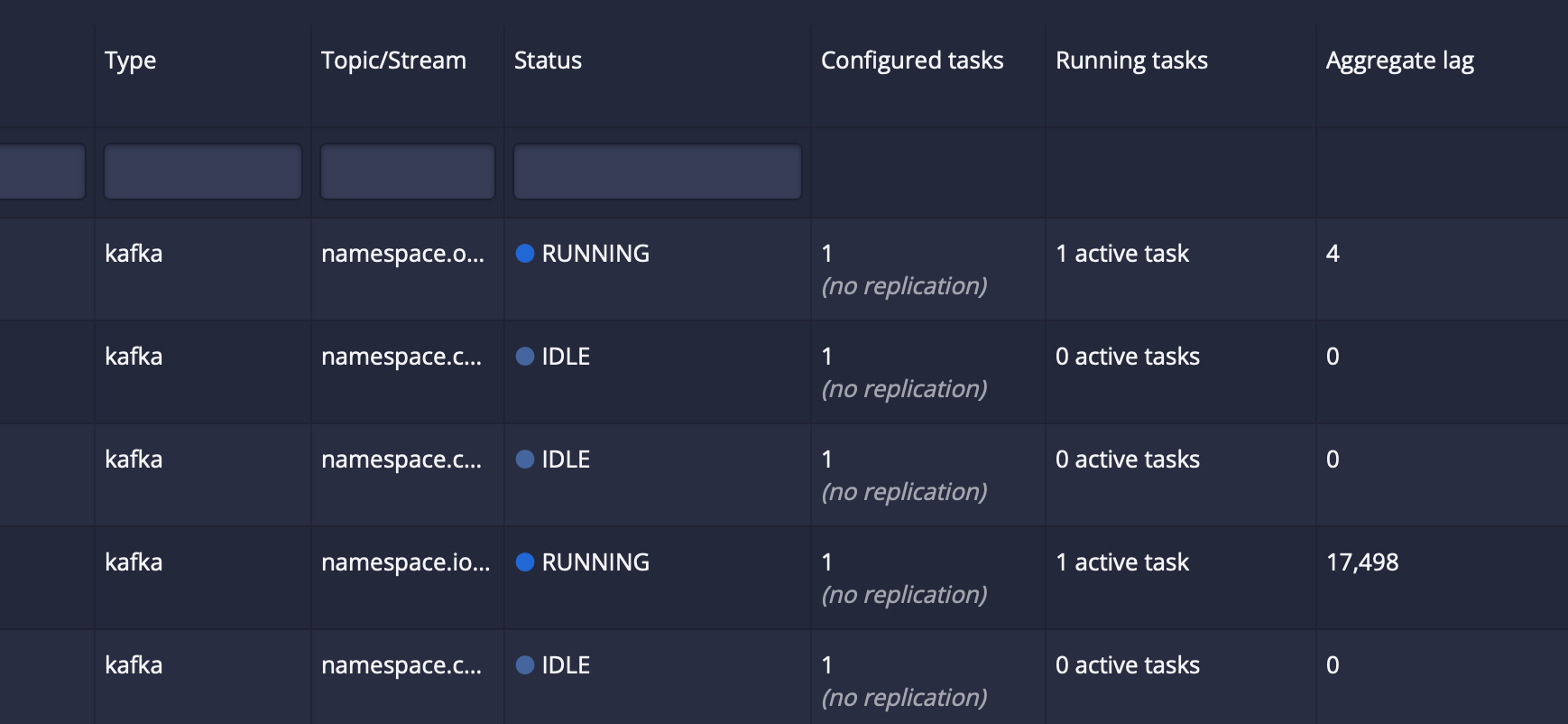
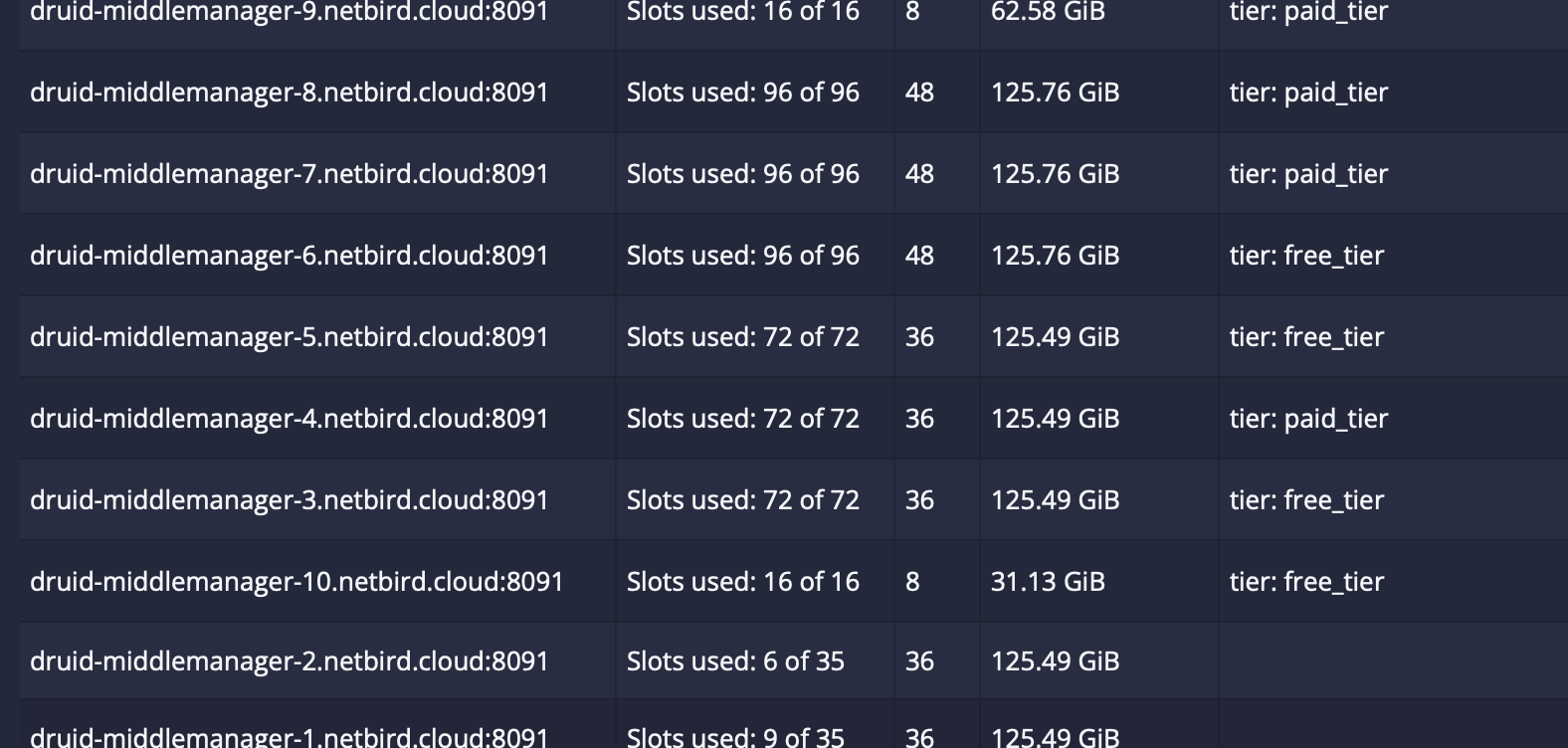
Once data lands in an organization’s own data source – its namespace – we reap all the performance benefits. Namespaced data sources can be queried very quickly because they only contain relevant data without any pre-filtering. Managing the namespace is easier too, because these data sources usually have way fewer columns, which makes them fit into RAM without swapping, and even into some very fast caches. And we can compact them, meaning we compress and defragment them to allow for bigger performance gains down the line. Weeeee!
The long in-between period
Getting from point A to point B took quite a while. We needed our customers to pick a name for their namespace, and once they picked one, we also needed to copy over all their data from the Very Big Data Source into their own namespace, which took a lot of work per customer.
Also, during this changeover period, both the kludgy filter-based query approach AND the new namespace-based queries needed to work simultaneously, which occasionally led to bugs either in one direction (why can’t I query this data?) or in the other (oh wait I can see another organization’s data, but only in test mode and only for 2022?)
Also: Stragglers. We needed a way to deal with organizations who had signed up for a free plan ages ago, who still send some data, but who haven’t logged in for a few years. In the end, we decided to force-convert them to a namespace with an auto-generated name. We also added code to stop any data processing if not a single person has logged in to an organization for over a year.
Lick the stamp and send it
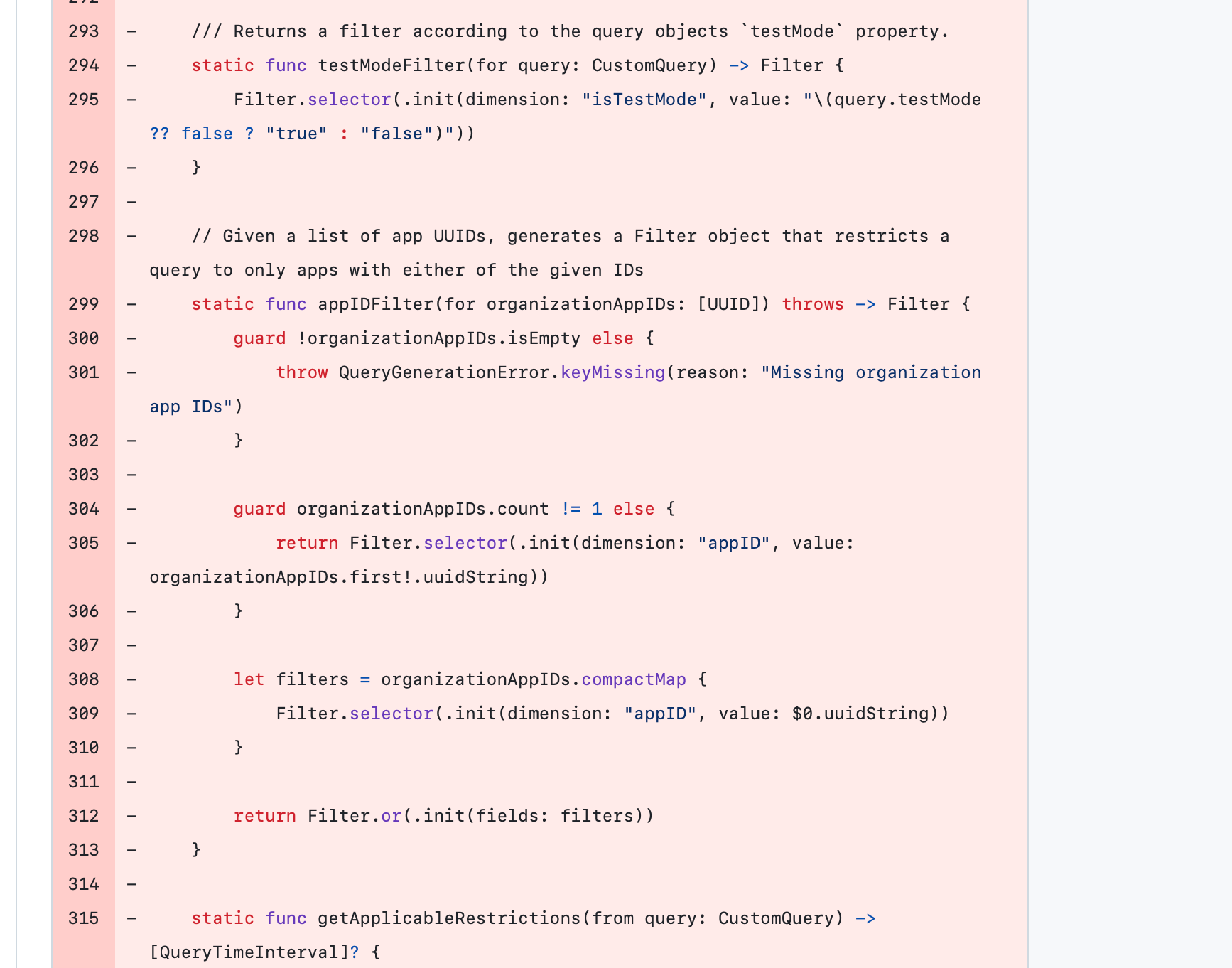
Last week, the time finally came: all customers were converted to namespaces, all queries were synchronous, it all worked. So I finally got to delete so, so much code. The code that generates all those filters. The code that finds an organization’s apps. The code that decides what queries to generate depending on whether an organization has a namespace. The code to convert organization data to namespaces and to inform users about the progress of the conversion.
Access control for queries is just a few lines now. We ask: can the calling user access query.dataSource as a namespace? Yes? Cool. No? Oh well here’s your 401 response. (When I pushed that change, a few of you might have noticed that a few very important hard-coded queries in the Dashboard UI were using the old data sources and suddenly errored out. Sorry about that.)
The last thing I deleted was the internal queueing implementation to deal with way too slow queries. Queries don’t need to queue any more, they just run synchronously in a single request. And just like that, I lost ten thousand lines of code. IT FELT SO GOOD! Also I don’t know how to end this post, so thanks, bye, ILYSM! <3